Teacher | Virginia Trekker | Instructional Technologist

Category: Headline (Page 1 of 6)

iPads

The iPads are officially in Kindergarten and 1st grade classrooms across the county. With this initiative this gives each Kindergarten and 1st grade classroom four (4) iPads and two (2) MacBooks. [1. The MacBooks that have been removed from the classrooms will be put on carts.  The carts will be distributed county wide so that each school will have approximately have the same laptop-to-student ratio.]  Each iPad came with a base image that was assembled by the elementary ITRTs and the elementary content specialists.  With the unveiling of the new iPad operating system in October of 2011, we are hoping to put the control of the content that is found on the iPad into the hands  of the classroom teachers that have them.

A website has been developed that explains the Apps that can be found on the iPads currently.

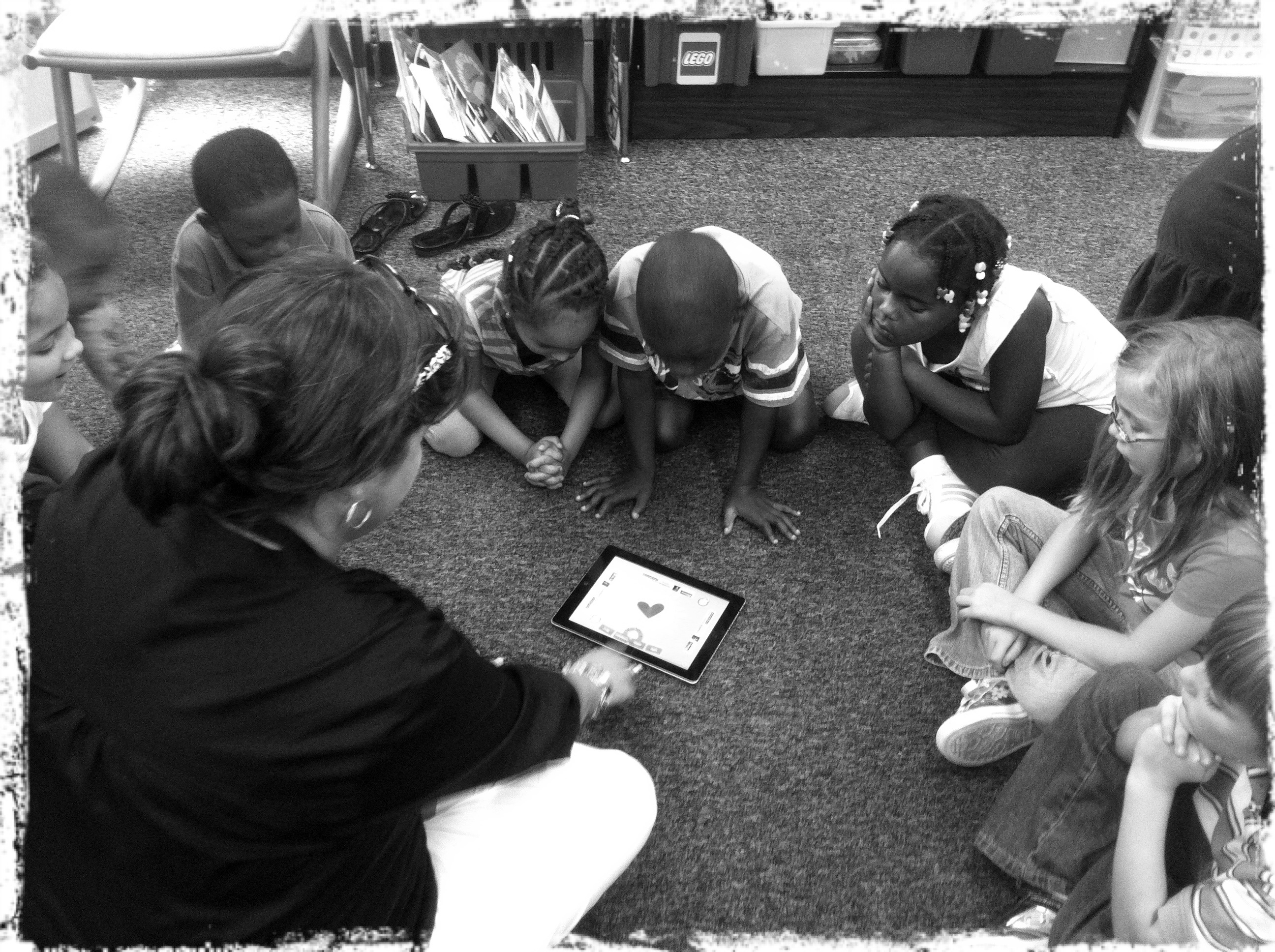
Amy Spiker, a 1st grade teacher at Longdale, introducing her students to the "App of the Day".

The ElemApps site also gives a description of each App and the directions on how to use it.  As we will discover, the kids don’t need a lot of instruction.  The touch feature is very intuitive for the students that are entering our schools.

The cases for the iPads will be arriving shortly and they will be distributed as soon as they are received.  In the meantime, HCPS would like to have the iPads out in the classrooms and more importantly, in the hands of our students.

If you are teaching in a 3rd, 4th, or 5th grade classroom, don’t fret.  There will be opportunities to use the iPads with your students as well. As we have already heard from HCPS administrators, the future of computers in our classrooms may be with “tablets” instead.

The Branches of the Learning Tree

-Samson Trinh, Music Teacher GAES-

I was so impressed by the students at Glen Allen Elementary yesterday that I have decided to share their performance on this site.  I watched the Glen Allen 4th and 5th Grade Chorus perform “The Branches of the Learning Tree” yesterday and I left amazed by the talent that I saw.  The play is an original script written by Samson Trinh, the music teacher.  The music that accompanied the story line were some of Michael Jackson’s biggest hits.  Even though this post isn’t technology related, it is teaching related.  Samson jumped completely outside of the box with this play.  He took the music of an icon, although a sometimes controversial icon, and put it seamlessly into an elementary production.

Cast #2

The production also gave the students involved an outlet to show off their talents.  Isn’t that what we are supposed to be doing in the classroom everyday?  I have worked with some of these students for 4 years and was amazed by what some of the performers did on stage.  After the shows I talked with a couple of the lead charaacters and shared my admiration with them.  There is no way that would have been me on that stage.

Kudos to Samson for inspiring these kids to work that hard and thanks to the students for entertaining, impressing, inspiring me.

Below is a video montage of some of the scenes from the play.

The Branches of the Learning Tree from Frank Fitzpatrick on Vimeo.

Typing Races?

Ben Rimes (@techsavvyed) and Jason Valade(@Jay2thaVee) posted a blog post and video showing their creative use of Google Docs to conduct typing races.  This could be a great way to motivate our kids to practice their typing skills while they work through their Type2Learn lessons.  To read Ben’s full blog post click here: http://www.techsavvyed.net/?p=1299

If you are interested in setting something like this up in your classroom, let me know, we already have the Google Accounts set up.

The video below is from YouTube.  Teachers, you will have to override the filter to view it at school.  It is definitely worth watching.  Direct YouTube link: http://www.youtube.com/watch?v=5e3pMBg3_o0

Afternoon Chats

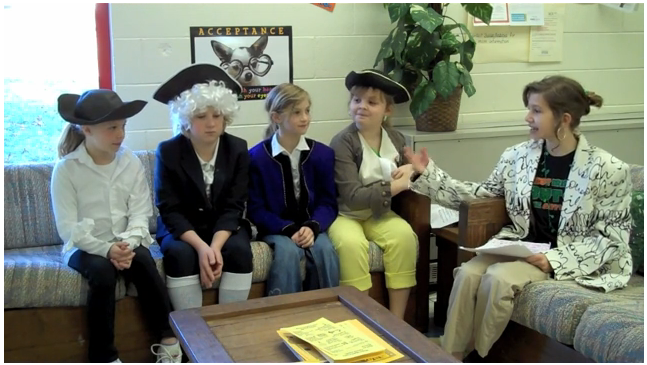
The 4th grade team at Glen Allen has got their students excited to learn about the famous people covered in 4th grade.  The students represent a famous person and are “interviewed” by a host.  The video below is on of the 4 videos produced by the students in all 4 classes today.  The interviews took about 15 minutes to record and then one “technical” student came and edited their videos which took about 1 hour.  We are meeting Ptolemy, Galileo, Aristotle, and Copernicus next week.  Get the togas ready!

Thanks to the students and teachers for working so hard.

Afternoon Chats from Frank Fitzpatrick on Vimeo.

Daily Shoot

The Daily Shoot is something that I have just started to get into, but I think it would be something that has a lot of potential in our classrooms.  We always tell our students to “take another look” at something, well this is a way to do it.  The Daily Shoot works this way:

1.  A new challenge is posted at DailyShoot.com

2.  Users from around the world take photographs.

3.  The users post them online on Flickr, and make a “Tweet” using Twitter.[1.  Twitter can be used for a lot more than stalking celebrities.]

4.  The photographs are then compiled on the Daily Shoot website for everyone to see.

The work that has been submitted is awesome.  My daughter is always asking me what the challenge is and if she can help.  We can obviously modify parts of the project to fit our classroom environment, like extended the deadline from daily to weekly.  I have included some of my pictures below.  You can check out my Flickr PhotoStream here.  Let me know if this is a challenge that you would like to try in your classroom.

Click on one of the picture below to see a full size slide show.  When you are done, just click on a picture to get back here.

[nggallery id=3]

« Older posts