Teacher | Virginia Trekker | Instructional Technologist

Tag: Keynote (Page 1 of 3)

Differentiation Using Keynote

One of my Kindergarten teachers, Vicky Rauchle, used Keynote to help differentiate writing instruction in her classroom.  The idea is very simple and it won’t take long for you to replicate this idea for your students.  Vicky found a variety of images online and created 3 different Keynote templates consisting of a “title” slide and 10 slides for writing.

Here is how her templates were broken down:

  • Each slide contains one picture and a text box that is used by the students to fill in with their text.
  • Depending on student ability the students will have to……
    • Write 1-2 sentences with no additional prompts from the teacher or template.
    • Write 1-2 sentences with additional prompts from the teacher and template.  The picture may be labeled to help get the students started.
    • Fill in the blanks that are found on the template.  The sentence that is started directly relates to the picture that is on the slide.
  • Each template has 11 slides.  Day one’s goal was to finish the title slide and 5 of the slides that required writing.

Thank you Vicky for sharing this great lesson idea!

Below are screenshots of the title slides and one of the “writing” slides.  The templates can also be downloaded by using the link below.

[nggallery id=10]

Click here to download the Keynote templates.
 

Weathering and Erosion

I had my first weathering and erosion questions this week.  I decided to combine 3 technologies/applications that I love to use to give my teachers the resources they needed.

Keynote

I created a Keynote slideshow for the kids to use when reviewing the terms weathering and erosion.  It is a simple slideshow that only requires the kids to fill in the blanks with the appropriate terms.  When the students have completed their slides, they can hit “play” and watch the slideshow turn into a self-playing movie with animations.

Click here to download the Keynote template.

Google Earth

Using Google Earth as a tool for teaching weathering and erosion is new for me.  Google Earth is a great tool for teaching Social Studies, but the more I use it, the more I find it useful in other content areas as well.  I searched  the globe for unique land features that have been caused by weathering and erosion.  The pushpins only lead the students to locations, it is the pictures that make the pushpins worth the trip around the world.  You can download the pushpins I created using the link below.  When you click on the downloaded icon (after you unzip the file), it will automatically launch Google Earth, and load the pushpins into your “Places” window.

[nggallery id=6]

 Click here to download the Google Earth pushpins.

Internet Links

I have to admit that collecting the websites below took more time than it should have, I blame this on my ADD.  I started reading all of the information on the sites and I hope your students will enjoy them as well.  There are also a couple of challenging jigsaw puzzles that might get your kids thinking.

Grand Canyon National Park

Carlsbad Caverns National Park

Mount Everest

Oceanside Cliffs Puzzle

Rock Bridge Puzzle

Facebook and Twitter from the Past?

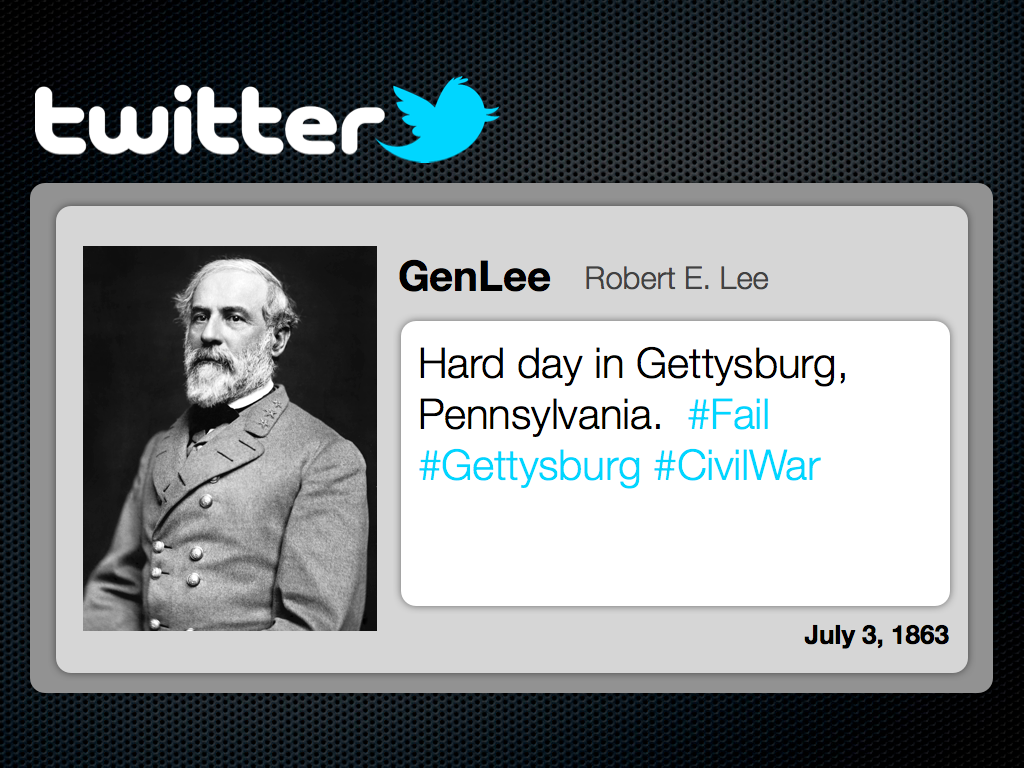
Sure George Washington and the other Founding Fathers didn’t have Facebook and Twitter, but woudn’t it have been cool if they did?  It would have been awesome to see Sacagawea’s posts about how Lewis and Clark refuse to listen and “know” where they are going.  I can imagine hew tweets [1. A message posted on Twitter consisting of 140 characters or less.] would have been re-tweeted [2. Re-tweeted messages are tweets shared in their original form by other Twitter users.] by women around the world.  The templates shared in this post are designed to let your students be creative and share the knowledge that they have gained.  These templates can be used for more than documenting the lives of historical characters.  These templates can be used for novel studies as well as creative writing.

When students use the Facebook template, they will be able to display biographical information about a historical character’s life, hobbies, career, and “friends”.  The Twitter template will challenge students to create “Tweets” that share information that is relative to the subject’s life or activities.  There is a second option inside the Twitter template, and that is the documentation of an event using a “fictional” hashtag [3. Hashtags are specific searches on Twitter using the “#” sign.  Charlie Sheen made the hashtag “#Winning” very popular during his public breakdown.]  There are example of the Facebook and Twitter templates below.  These templates were created for my MAC users, but have been exported into .ppt and .doc format.

[nggallery id=5]

Click here to download the Facebook template for MACs.

Click here to download the Twitter template for MACs.

Click here to download the Facebook template for PCs.

Click here to download the Twitter template for PCs.

Sound- SOL 5.2 with Animation

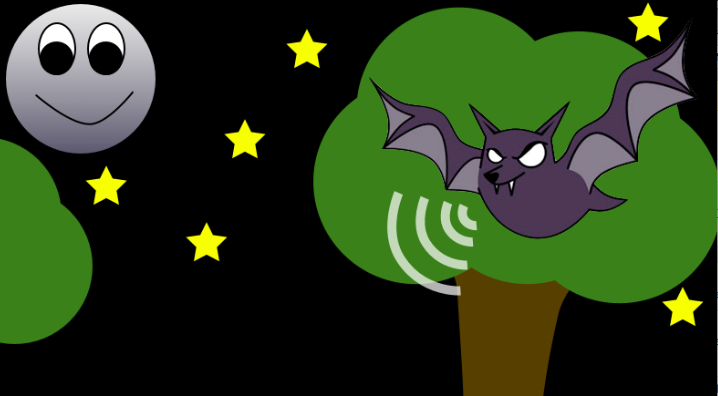
This template was created for students to demonstrate echo location.  The teacher that requested this lesson was going to have her students use Keynote to create drawings and animations on a future project.  We used the template(attached below) animate the use of echo location by a dolphin and a bat.  The students used the shape tools to draw their backgrounds and then used builds and actions to move the “sound waves”.   The video below demonstrates how to use the inspector to animate the “sound waves”.

Click here to download the Keynote template.

« Older posts