Teacher | Virginia Trekker | Instructional Technologist

Tag: Twitter

Paper Airplanes….. Any Questions?

This is my first attempt at creating an “Any Questions” video. The first place I saw Any Questions was on Dan Meyer’s blog. Any Questions can be followed on Twitter by following the hash tag #anyqs. The purpose of the #anyqs videos is to show a short video clip and let your students come up with their own questions to answer. It is important to let the students drive the conversation and their own learning. It doesn’t take any great video skills to make a video. All you need is something to film that will generate questions. Ben Rimes (@techsavvyed), an technology instructor from Michigan, found the craziest tree wrapping machine while picking out his Christmas Tree. I watched the video a number of times and had a bunch of questions to ask.

A friend and I are developing a bunch of lessons and a presentation that is based on paper airplanes and integrating technology into those lessons without “chasing something shiny”.  We want to take integrating technology back to the basics.  So here is my first Any Questions video. Any questions?
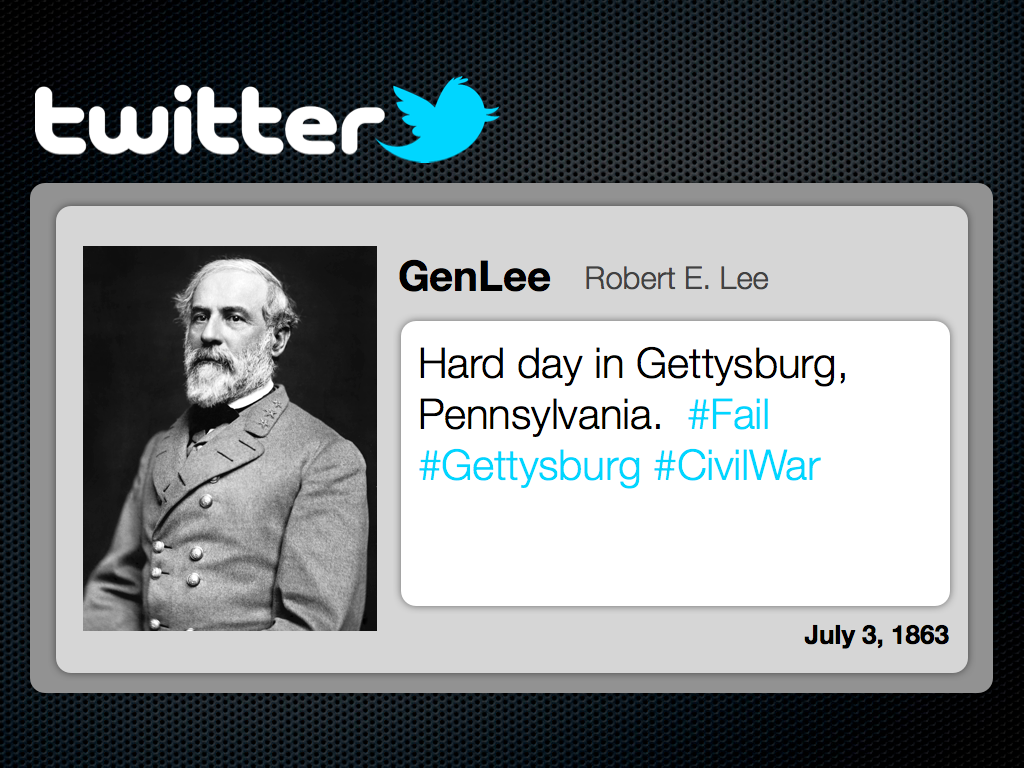


Facebook and Twitter from the Past?

Sure George Washington and the other Founding Fathers didn’t have Facebook and Twitter, but woudn’t it have been cool if they did?  It would have been awesome to see Sacagawea’s posts about how Lewis and Clark refuse to listen and “know” where they are going.  I can imagine hew tweets [1. A message posted on Twitter consisting of 140 characters or less.] would have been re-tweeted [2. Re-tweeted messages are tweets shared in their original form by other Twitter users.] by women around the world.  The templates shared in this post are designed to let your students be creative and share the knowledge that they have gained.  These templates can be used for more than documenting the lives of historical characters.  These templates can be used for novel studies as well as creative writing.

When students use the Facebook template, they will be able to display biographical information about a historical character’s life, hobbies, career, and “friends”.  The Twitter template will challenge students to create “Tweets” that share information that is relative to the subject’s life or activities.  There is a second option inside the Twitter template, and that is the documentation of an event using a “fictional” hashtag [3. Hashtags are specific searches on Twitter using the “#” sign.  Charlie Sheen made the hashtag “#Winning” very popular during his public breakdown.]  There are example of the Facebook and Twitter templates below.  These templates were created for my MAC users, but have been exported into .ppt and .doc format.

[nggallery id=5]

Click here to download the Facebook template for MACs.

Click here to download the Twitter template for MACs.

Click here to download the Facebook template for PCs.

Click here to download the Twitter template for PCs.

Vimeo Video School

I have started to find this site really useful. Vimeo does a really good job at keeping it’s users updated on the latest and greatest videos on their site. Check out Vimeo’s School at: http://vimeo.com/videoschool. You can following them on Twitter at @Vimeo. If you are new to making videos, click on the “Video 101”. I learned how to make a video mount for my bike by watching a very “spirited” video maker. While the video I made is not as good as this one, this was my inspiration. Here is the link to the page I used: http://vimeo.com/videoschool/lesson/90/do-it-yourself-bicycle-camera-mount

****The How-To video does contain language that is not appropriate for classroom use.****

Daily Shoot

The Daily Shoot is something that I have just started to get into, but I think it would be something that has a lot of potential in our classrooms.  We always tell our students to “take another look” at something, well this is a way to do it.  The Daily Shoot works this way:

1.  A new challenge is posted at DailyShoot.com

2.  Users from around the world take photographs.

3.  The users post them online on Flickr, and make a “Tweet” using Twitter.[1.  Twitter can be used for a lot more than stalking celebrities.]

4.  The photographs are then compiled on the Daily Shoot website for everyone to see.

The work that has been submitted is awesome.  My daughter is always asking me what the challenge is and if she can help.  We can obviously modify parts of the project to fit our classroom environment, like extended the deadline from daily to weekly.  I have included some of my pictures below.  You can check out my Flickr PhotoStream here.  Let me know if this is a challenge that you would like to try in your classroom.

Click on one of the picture below to see a full size slide show.  When you are done, just click on a picture to get back here.

[nggallery id=3]