When I came to Longdale Elementary last week and sat down I found that the ethernet cord that I use was placed in an interesting way. This raised some questions with me, mostly out of curiosity. I brought my Flip camera with me today, and made the following video. Any questions?
Category: Longdale (Page 1 of 5)
 The Reflective Friends (RF) process is nearly complete for my 4 schools for the Fall of 2011. Glen Allen was selected as one of the pilot schools in the Spring of 2011. Because of this, they are not officially involved in the RF process this year. However, they will be doing a round of unofficial observations in November. The teachers that have participated this year have done a great job. This is a new process for elementary and it can seem overwhelming at the start. After Carver, Longdale, and Harvie have been observed I believe that my teachers see the process for what it is, a positive experience that is only in place to help teachers.
Here is what has happened so far this year:
- 6 teachers from each school were selected to participate, each grade level was represented.
- Since this was baseline data that was collected, lessons were planned around programs that they were comfortable with using with their students at this point in the year.
- Using the answers to the previous questions a lesson plan was developed.
- We made appointments to work with the kids to review the skills that will be needed to make the chosen applications work.
- An observation team made of up of 2 people visited each room for approximately 40-45 minutes. The observation teams were made up of an ITRT (Elementary, Middle, or High) and an administrator from another school or Central Office.
- The observers used the TIP-Chart to evaluate the lessons and provided constructive feedback for the teachers that will help them grow on the TIP-Chart.
- Two interview panels were setup. Groups of students and teachers were interviewed to collect additional information about 21st Century Skills.
- At the end of the school day, the observation team leaders met with the school’s admin team and shared the data and information collected during the observations and interviews.
Just because the Fall observations are complete doesn’t mean that the RF process is complete. The 6 teachers at each school are going to work with me throughout the year. We are going to look at the feedback that they received and plan lessons that will help them progress on the TIP-Chart.
The most important idea for you to understand about the RF process is that this is not pass or fail. RF is meant to be part of a professional development experience.
I am very happy to work with so many great teachers that had an awesome attitude towards this new process. I am very excited to see the teachers and students grow this year. RF is not going anywhere, there will be 6 new teachers selected next year. More updates and news about RF will be shared here later this year.
Applications and tools used during the observations:
Pixie
iPads
Keynote
Pages
Google Earth
ProScopes
ActivVotes
ActivInspire
Numbers
iPads
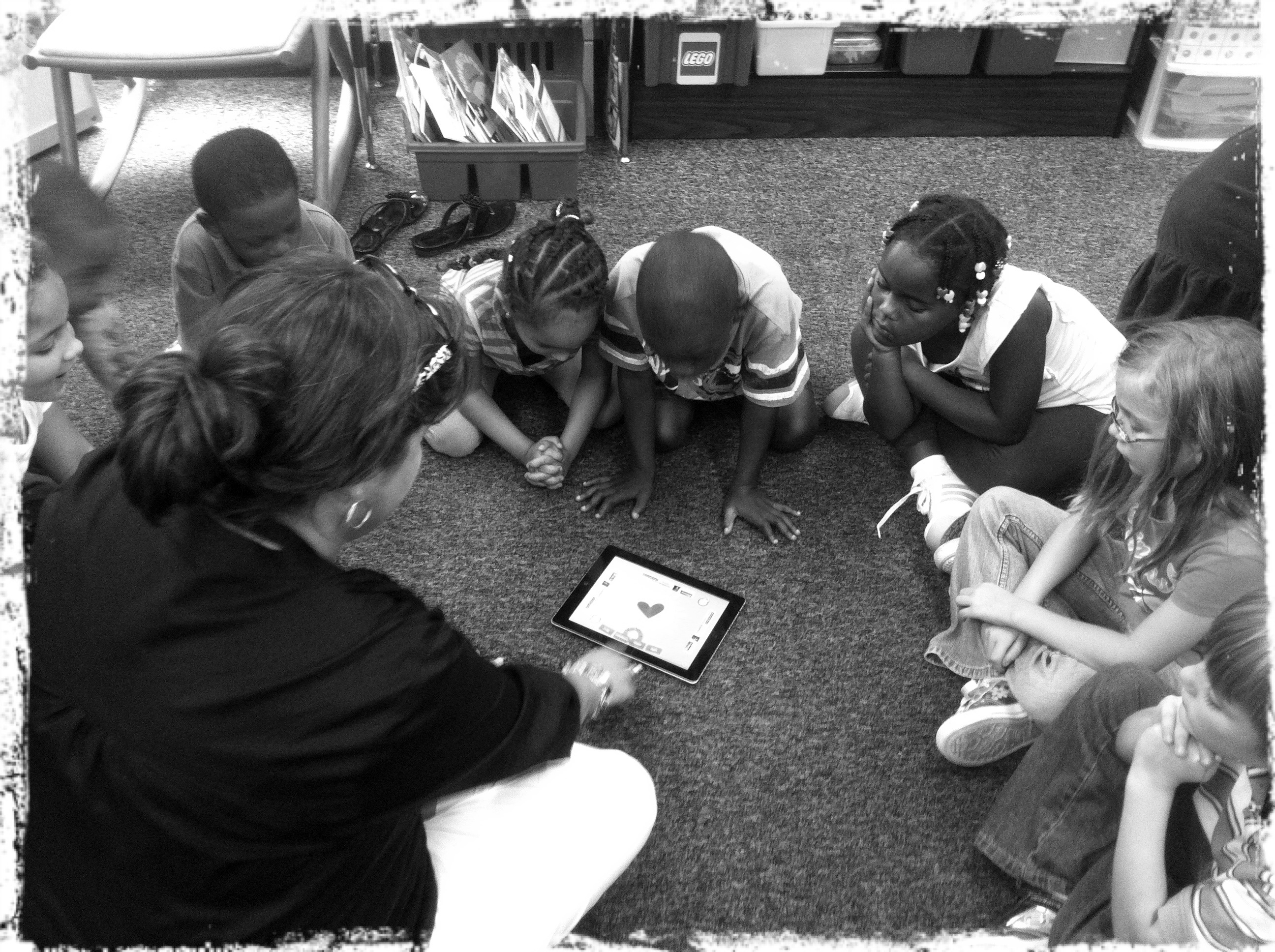
The iPads are officially in Kindergarten and 1st grade classrooms across the county. With this initiative this gives each Kindergarten and 1st grade classroom four (4) iPads and two (2) MacBooks. [1. The MacBooks that have been removed from the classrooms will be put on carts. The carts will be distributed county wide so that each school will have approximately have the same laptop-to-student ratio.] Each iPad came with a base image that was assembled by the elementary ITRTs and the elementary content specialists. With the unveiling of the new iPad operating system in October of 2011, we are hoping to put the control of the content that is found on the iPad into the hands of the classroom teachers that have them.
A website has been developed that explains the Apps that can be found on the iPads currently.

Amy Spiker, a 1st grade teacher at Longdale, introducing her students to the "App of the Day".
The ElemApps site also gives a description of each App and the directions on how to use it. As we will discover, the kids don’t need a lot of instruction. The touch feature is very intuitive for the students that are entering our schools.
The cases for the iPads will be arriving shortly and they will be distributed as soon as they are received. In the meantime, HCPS would like to have the iPads out in the classrooms and more importantly, in the hands of our students.
If you are teaching in a 3rd, 4th, or 5th grade classroom, don’t fret. There will be opportunities to use the iPads with your students as well. As we have already heard from HCPS administrators, the future of computers in our classrooms may be with “tablets” instead.
The Reflective Friends (RF) process has made it to Henrico County’s elementary schools! Before you say anything or before your eyes roll back into your head, Reflective Friends is what we have been wanting for a long time. I am very excited about RF being in the elementary schools this year. The process gives teachers an opportunity to receive positive feedback from observers that are not from their buildings. The observers are looking for the characteristics of a 21st Century Lesson. The students and teachers will be scored on the TIP-Chart that we have become familiar with. This is the same chart that is used to score Henrico 21 projects.
Here is the process broken down:
- 1 teacher from each grade level will be chosen to participate. This gives a good overall snapshot of an elementary school.
- Each teacher plans their lesson using the TIP-Chart. The teachers are encouraged to collaborate with their ITRT with the planning of the lesson.
- Observations last around 30-40 minutes. The observers are other ITRTs from the county as well as principals and other HCPS administrators (including Central Office).
- Other teachers (not officially observed) and students will be interviewed by the panel.
- The data and comments from each of the 6 observations and the interviews are compiled into one report and shared with the admin team at that school.
I am hoping to repeat this process in the spring in order to show authentic student and teacher growth during the 2011-2012 school year.
Here are the teachers that will be participating this year:


I am officially done with my masters. This is the final project that I had to submit. The project was done using the Henrico 21 lesson plan format. Even ITRTs have to use it. 🙂 Thanks again to Jen Travers for helping me get this done!
Google Earth Tours from Frank Fitzpatrick on Vimeo.
Lesson Plan for Henrico 21 Awards
Teacher Name: Frank Fitzpatrick
Collaborators: Jen Travers
Lesson Title: Tour of Virginia using Google Earth
Target Grade/Subject: 4th grade, Virginia Studies
Length: 3 hours
Summary: 4th grade students have researched each of Virginia’s 5 regions throughout the year. The students shared their knowledge about landmarks, physical features, and history by creating a “tour” in Google Earth. Each tour that was created was shared with each member of the class.
Essential questions or objectives: (What are the foundational questions that students should be able to answer after this lesson? What are the concepts or skills that provide the purpose for this lesson? What standards does this lesson address? )What are the unique features, places, landmarks, and history in each of Virginia’s 5 regions? How can I show my classmates places that I find interesting in Virginia?
Resources:
Technology:
• COW laptops
• Search engines such as Google, Bing, OneSearch
• Various internet sites that have been used throughout the year
• Google Earth- can be used as a research tool as well
• Student folders on school’s student server
• Built in microphone for recording final movies.
• LCD projector for demonstration purposes
Other Required Resources:
• County provided print materials
Lesson Development:
Process/Tasks:
Lesson 1-
• Teacher outlines the goals of the project
• Teacher shares scoring rubric with students, provides the students access to the rubric (hard-copy or electronic). Teacher should go through each area of the rubric so the students have a clear understanding of how they will be evaluated.
• Teacher should set expectations for using search engines such as Google, Bing, or OneSearch
• Teacher should set the expectation for citing resources that were used to gather information for each pushpin.
• Teacher should provide time for the students to research enough information to complete the project at proficient level. During this time students should be gathering information on each of the places that they are going to mark in their “Google Earth Tour”.
Lesson 2-
• Teacher should model how to use Google Earth. This should included how to search for the locations that the students want to share, how to use the tools for changing the viewing angles and zooming in and out, how to place pushpins, and how to record the final tour.
• Students should be given the time that is needed to place their pushpins on their tours, enter the information that they collected from their research, and record their final tours.
• Students should cite the source, by providing the weblink, of the information that they have included with each pushpin.
• Students should export their final tours to a designated place on VOL2 so their classmates can view their project.
Lesson 3-
• This time is for the students to present their tours to their classmates and for the students to score themselves on the rubric.
• Each student should be given the opportunity to share their tour with their classmates. During this time the students should share the information that they learned about each location during their research.
• Each student should evaluate their final products using the same rubric that the teacher will use to score the final products.
• Exported projects will be displayed on a blog. The blog allows the students to view their classmate’s work and give the opportunity to receive feedback about their work. The blog will also be available for family members and 4th graders from around the state to view and use in their classrooms.
• The teacher and student should sit down together to discuss the scores that each put on the rubric. After the discussion is complete a final score should be awarded to the student.
• The students can collect and combine the pushpins collected by their classmates into one Google Earth File (.kmz) to use a study/review tool.
Evaluation Procedure:
Assessment of objectives: (Include a description of the student activity or artifact that you, as the teacher, will collect as evidence of content/skill mastery. State how you plan to communicate your assessment expectations to the students.)
• The final product should be a recorded “tour” created using Google Earth. Each tour should include at least one “stop” in each of Virginia’s 5 regions.
• Final products will be scored using a rubric. The rubric covers the entire project, from research to final product. https://spreadsheets.google.com/viewform?hl=en&formkey=dEdsckZSYzlrdDRCWnQ0QmtuQnFsOWc6MQ#gid=0
• Students should have access to the scoring rubric throughout the project.
• Students should score themselves using the rubric
• Students and teacher will sit down one-on-one to compare the scores that they entered into the rubric. After the final discussion, a score (determined during the discussion), should be awarded to the student.
TIPC Assessment:
Research and Information Fluency: The students were not limited in what they could use to collect information. The students can use both electronic and print resources. Teacher only set expectations and guidelines for researching. Score: 6
Communication and Collaboration: Students are presenting their tours to their classmates both live (oral presentation/demonstration) and non-real time (blog posts). While this was not meant to be a collaborative group project, the students still rely on help and guidance from their classmates to complete this project. Score: 6
Critical Thinking and Problem Solving: The only limits on the students were that they had to include pushpins in each of the 5 regions of Virginia. The students could select any landmark, physical feature, or historical event that they thought was interesting or unique to each region. At the conclusion of the project, each student can combine the pushpins collected by the entire class into one Google Earth file. Score: 6
Creativity and Innovation: The students used information that they have acquired throughout the year and new information that they gathered during the research phase of this project to create their Google Earth Tour. Because the students could independently choose the location of their pushpins, this project exceeds the minimum requirements of the state standards for Virginia Studies. Score: 5
Click here to see the Student/Teacher Assessment.
Click here to download examples of final products (Google Earth is required).
Click here to download this lesson plan.
HCPS Blog Camp

