Teacher | Virginia Trekker | Instructional Technologist

Category: Carver (Page 1 of 9)

Creating Polymers

Creating polymers was simple and extremely entertaining.  I practiced the recipe (below) with my own kids before working with the 3rd graders in Brittney Royal’s class.  The reason for completing this recipe in class was to have the kids learn the importance of the procedure in the Scientific Method.  We put out the materials, posted the procedure on the web, and the groups were in charge of completing the experiment on their own.

Once the polymers were created a couple of questions were asked of the class:

  • Is your “Flubber” a solid? Why?
  • Is your “Flubber” a liquid?  Why?

These questions caused silence to fall over the class.  Because we created a polymer the students could see answers for both.  The looks on their faces (as they were moving their “Flubber” in their hands) were priceless.  Real critical thinking was taking place.  After class, the students were asked to research and define polymers and give two characteristics of their “Flubber” that led them to the conclusion that they had created a polymer.  They had to enter their answers onto our blog for this project.

Below are pictures from the project as well as the recipe we used.  The recipe produced enough for 5 students to go home with a handful of polymer.
[nggallery id=11]

Materials

  • Elmer’s Glue® (4 oz bottle of Elmer’s Glue-All)
  • Borax (a powdered soap found in the grocery store)
  • Large mixing bowl
  • Plastic cup (8 oz size works well)
  • Spoon
  • Measuring cup
  • Food coloring
  • Water
  • Clean up materials (paper towels, wet wipes, etc.)
  • Zipper-lock bag to store final product

Experiment 3- Procedure


1. This recipe is based on using a brand new 4 ounce bottle of Elmer’s Glue. Empty the entire bottle of glue into a plastic cup. Fill the empty bottle with warm water and shake (put the lid on first and then shake). Pour the glue-water mixture from the glue bottle into the cup and use the spoon to mix well.
2. Go ahead… add a drop or two of food coloring.
3. Measure 1/2 cup of warm water into the plastic bowl and add a teaspoon of Borax powder to the water. Stir the solution – don’t worry if all of the powder dissolves.
4. Carefully pour your glue and water solution into the plastic bowl. Be sure to watch the bowl as you are doing this. Once your entire cup has been emptied into the bowl, put your hands in the bowl and take some of the material out.  Be sure to leave enough for each of your group members.
5. Store the final product in a plastic bag in the refrigerator.  Do not leave the material on tables, floors, or clothing.  The food coloring that was used may leave a stain. Be sure to WASH YOUR HANDS!

Method27- Week 2

This is what learning is supposed to look like!

The third graders completed their first experiment during my time in Brittney Royal’s class last week.  The students completed a simple experiment that used the old school combination of vinegar and baking soda.  We followed the basic recipe found at eHow.com. However, we increased the amount of each ingredient to cause a larger and more dramatic reaction.

To make this simple experiment more “21st Century” we did the following:

  • The students worked with their teammates to record their hypothesis and conclusions using a GoogleDoc.
  • After the experiments were conducted the students had to use internet resources to research the reaction that they just witnessed.  The students had to enter their individual answers on to the Method27 blog.
  • The students were also challenged with an additional question.  The question would lead them to discover the teams endothermic and exothermic reactions.  Both of which are not covered in the current 3rd Grade curriculum.


The Scientific Method

Today was the beginning of a great extended project, Method27.  The entire project will be focused around matter.  At the conclusion of the project, it is our goal for the students to design experiments that will help others determine if they are dealing with solids, liquids, or gases.  I am working with Brittney Royal, 3rd Grade at Carver Elementary, over the next few weeks on building and modeling 21st Century Skills.  Throughout the lessons the students will be learning how to research, conduct experiments, design experiments, analyze data, and work collaboratively.

Review of Day 1 Activities:

  • Before visiting the classroom I built a website and a series of Google Docs that the students will use to enter the information they find during the research process.  While the groups were determined by the teacher, each group has a leader and the group determined the roles of each member.
  • The students met as a group to come up with a team name and record the members of the group on the GoogleDoc.
  • The students used their group’s GoogleDoc and a set of links [1. Links were given to them to help expedited the initial research period.] to compose the definitions of solids, liquids, and gases.  GoogleDocs allow multiple users to enter information on the same document at the same time.  Google Docs are great for online communication and collaboration.

Next week’s goals:

We will complete our first experiment next week.  We are going to work on making hypotheses and conclusions.  After the experiment is complete, the students will be researching the science behind what took place during the experiment.

Reflective Friends- Fall Observations

The Reflective Friends (RF) process is nearly complete for my 4 schools for the Fall of 2011.  Glen Allen was selected as one of the pilot schools in the Spring of 2011.  Because of this, they are not officially involved in the RF process this year.  However, they will be doing a round of unofficial observations in November.  The teachers that have participated this year have done a great job.  This is a new process for elementary and it can seem overwhelming at the start.  After Carver, Longdale, and Harvie have been observed I believe that my teachers see the process for what it is, a positive experience that is only in place to help teachers.

Here is what has happened so far this year:

  • 6 teachers from each school were selected to participate, each grade level was represented.
  • Since this was baseline data that was collected, lessons were planned around programs that they were comfortable with using with their students at this point in the year.
  • Using the answers to the previous questions a lesson plan was developed.
  • We made appointments to work with the kids to review the skills that will be needed to make the chosen applications work.
  • An observation team made of up of 2 people visited each room for approximately 40-45 minutes.  The observation teams were made up of an ITRT (Elementary, Middle, or High) and an administrator from another school or Central Office.
  • The observers used the TIP-Chart to evaluate the lessons and provided constructive feedback for the teachers that will help them grow on the TIP-Chart.
  • Two interview panels were setup.  Groups of students and teachers were interviewed to collect additional information about 21st Century Skills.
  • At the end of the school day, the observation team leaders met with the school’s admin team and shared the data and information collected during the observations and interviews.

Just because the Fall observations are complete doesn’t mean that the RF process is complete.  The 6 teachers at each school are going to work with me throughout the year.  We are going to look at the feedback that they received and plan lessons that will help them progress on the TIP-Chart.

The most important idea for you to understand about the RF process is that this is not pass or fail.  RF is meant to be part of a professional development experience.

I am very happy to work with so many great teachers that had an awesome attitude towards this new process.  I am very excited to see the teachers and students grow this year.  RF is not going anywhere, there will be 6 new teachers selected next year.  More updates and news about RF will be shared here later this year.

Applications and tools used during the observations:

Pixie

iPads

Keynote

Pages

Google Earth

ProScopes

ActivVotes

ActivInspire

BuildYourWildSelf.com

Numbers

iPads

The iPads are officially in Kindergarten and 1st grade classrooms across the county. With this initiative this gives each Kindergarten and 1st grade classroom four (4) iPads and two (2) MacBooks. [1. The MacBooks that have been removed from the classrooms will be put on carts.  The carts will be distributed county wide so that each school will have approximately have the same laptop-to-student ratio.]  Each iPad came with a base image that was assembled by the elementary ITRTs and the elementary content specialists.  With the unveiling of the new iPad operating system in October of 2011, we are hoping to put the control of the content that is found on the iPad into the hands  of the classroom teachers that have them.

A website has been developed that explains the Apps that can be found on the iPads currently.

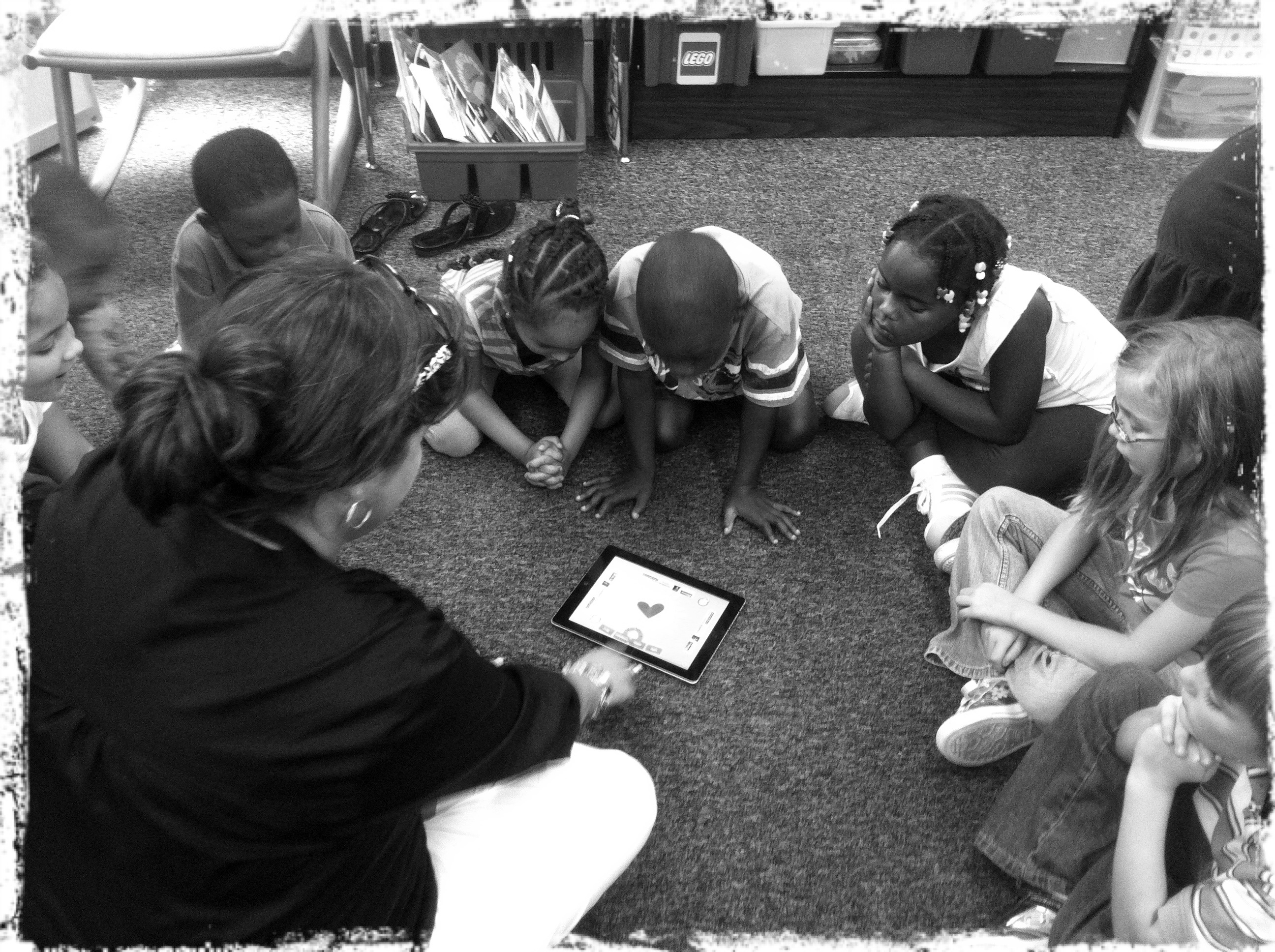
Amy Spiker, a 1st grade teacher at Longdale, introducing her students to the "App of the Day".

The ElemApps site also gives a description of each App and the directions on how to use it.  As we will discover, the kids don’t need a lot of instruction.  The touch feature is very intuitive for the students that are entering our schools.

The cases for the iPads will be arriving shortly and they will be distributed as soon as they are received.  In the meantime, HCPS would like to have the iPads out in the classrooms and more importantly, in the hands of our students.

If you are teaching in a 3rd, 4th, or 5th grade classroom, don’t fret.  There will be opportunities to use the iPads with your students as well. As we have already heard from HCPS administrators, the future of computers in our classrooms may be with “tablets” instead.

« Older posts