Teacher | Virginia Trekker | Instructional Technologist

Tag: 21st Century Teaching (Page 2 of 4)

Jamestown

This lesson was done in Cheryl Ives’s 4th grade class at Glen Allen Elementary.  The lesson has been submitted to Henrico 21 for the 2011-2012 school year.  In my opinion, this project is a great example on how to integrate multiple subjects and technology into a lesson.

Summary from Cheryl Ives’s Henrico 21 Lesson Plan:

After completing our studies of Jamestown (VS3a-g), the students were challenged with creating video segments that would cover the topics that were studied in our unit.  The segments covered topics that included John Smith, Christopher Newport’s fleet, and Tobacco.  The students created scripts, that were written in first-person, based on the study materials provided to them and facts that they have discovered while doing their own research.  The students had to find and create props and costumes that will help the audience recognize the topic they were speaking about.  The filming and editing of the final video product was organized and completed by the students in the classroom.  This project allowed the kids be creative and show their personalities in their work while expanding their knowledge of Jamestown.

Click here to download the full lesson plan and the scoring rubric.

Final Video Product:


Any Questions?- Ethernet Cord

When I came to Longdale Elementary last week and sat down I found that the ethernet cord that I use was placed in an interesting way. This raised some questions with me, mostly out of curiosity. I brought my Flip camera with me today, and made the following video. Any questions?

Street Art = Hallway Art

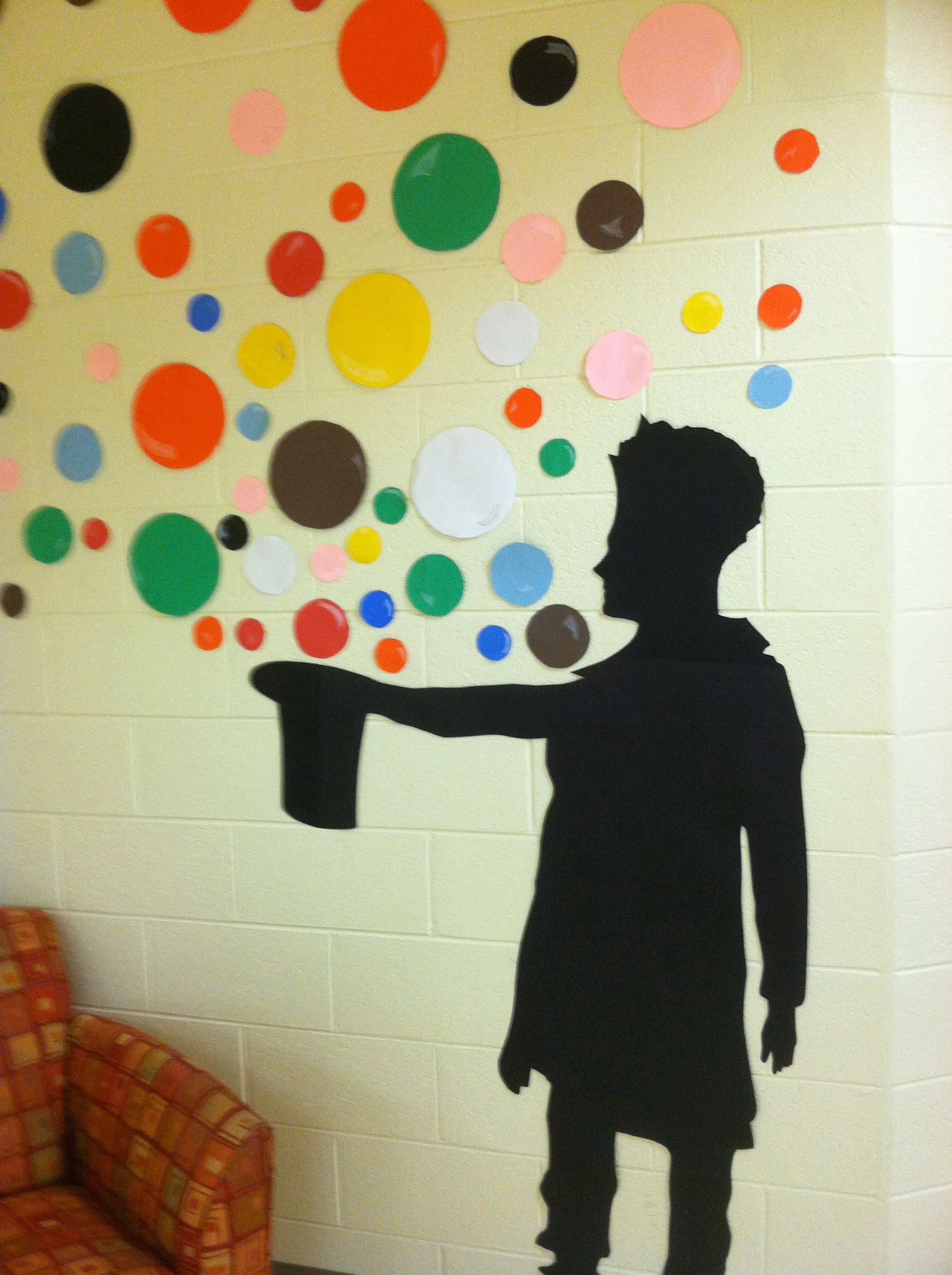
The art teacher at Harvie Elementary, Jordan Flower, has transformed the hallways into a street art exhibit.  The students in multiple grade levels have been learning about Street Art.  Street Art is usually viewed as destructive and “underground”.  However, if you look closely at the work that street artists create, and not so much where it is created, it’s clear that it is art. At last years Oscars, a street artist named Banksy was receiving a lot of attention because of his role in the nominated film Exit Through the Gift Shop.  The film took you on secretive missions to create works on nontraditional canvases around the world.[1. I have watched it 3 times from start to finish.] The students at Harvie are all familiar with street art and graffiti in their communities.  Jordan led them through discussions about art vs. vandalism and the effects, both positive and negative, that can come from street art.

The students at Harvie learned about a couple of different artists and styles, this was a unit studied in Kindergarten through 5th grade.  The 4th graders learned about the art of Kenny Random.  The 4th graders planned and executed a collaborative art piece, based on the work of Kenny Random, that can be found covering the walls of the school. Other pieces of art include arrows based on the work of Above, and a display of graffiti style “tags” of the student’s names.  Below are some images of the pieces around the school as well as Jordan’s lesson plan for the Henrico21 Kenny Random project with 4th grade.

Download the Henrico 21 Lesson Plan

[nggallery id=8]


Paper Airplanes….. Any Questions?

This is my first attempt at creating an “Any Questions” video. The first place I saw Any Questions was on Dan Meyer’s blog. Any Questions can be followed on Twitter by following the hash tag #anyqs. The purpose of the #anyqs videos is to show a short video clip and let your students come up with their own questions to answer. It is important to let the students drive the conversation and their own learning. It doesn’t take any great video skills to make a video. All you need is something to film that will generate questions. Ben Rimes (@techsavvyed), an technology instructor from Michigan, found the craziest tree wrapping machine while picking out his Christmas Tree. I watched the video a number of times and had a bunch of questions to ask.

A friend and I are developing a bunch of lessons and a presentation that is based on paper airplanes and integrating technology into those lessons without “chasing something shiny”.  We want to take integrating technology back to the basics.  So here is my first Any Questions video. Any questions?


Weathering and Erosion

I had my first weathering and erosion questions this week.  I decided to combine 3 technologies/applications that I love to use to give my teachers the resources they needed.

Keynote

I created a Keynote slideshow for the kids to use when reviewing the terms weathering and erosion.  It is a simple slideshow that only requires the kids to fill in the blanks with the appropriate terms.  When the students have completed their slides, they can hit “play” and watch the slideshow turn into a self-playing movie with animations.

Click here to download the Keynote template.

Google Earth

Using Google Earth as a tool for teaching weathering and erosion is new for me.  Google Earth is a great tool for teaching Social Studies, but the more I use it, the more I find it useful in other content areas as well.  I searched  the globe for unique land features that have been caused by weathering and erosion.  The pushpins only lead the students to locations, it is the pictures that make the pushpins worth the trip around the world.  You can download the pushpins I created using the link below.  When you click on the downloaded icon (after you unzip the file), it will automatically launch Google Earth, and load the pushpins into your “Places” window.

[nggallery id=6]

 Click here to download the Google Earth pushpins.

Internet Links

I have to admit that collecting the websites below took more time than it should have, I blame this on my ADD.  I started reading all of the information on the sites and I hope your students will enjoy them as well.  There are also a couple of challenging jigsaw puzzles that might get your kids thinking.

Grand Canyon National Park

Carlsbad Caverns National Park

Mount Everest

Oceanside Cliffs Puzzle

Rock Bridge Puzzle

« Older posts Newer posts »