Teacher | Virginia Trekker | Instructional Technologist

Tag: 21st Century Teaching (Page 3 of 4)

Facebook and Twitter from the Past?

Sure George Washington and the other Founding Fathers didn’t have Facebook and Twitter, but woudn’t it have been cool if they did?  It would have been awesome to see Sacagawea’s posts about how Lewis and Clark refuse to listen and “know” where they are going.  I can imagine hew tweets [1. A message posted on Twitter consisting of 140 characters or less.] would have been re-tweeted [2. Re-tweeted messages are tweets shared in their original form by other Twitter users.] by women around the world.  The templates shared in this post are designed to let your students be creative and share the knowledge that they have gained.  These templates can be used for more than documenting the lives of historical characters.  These templates can be used for novel studies as well as creative writing.

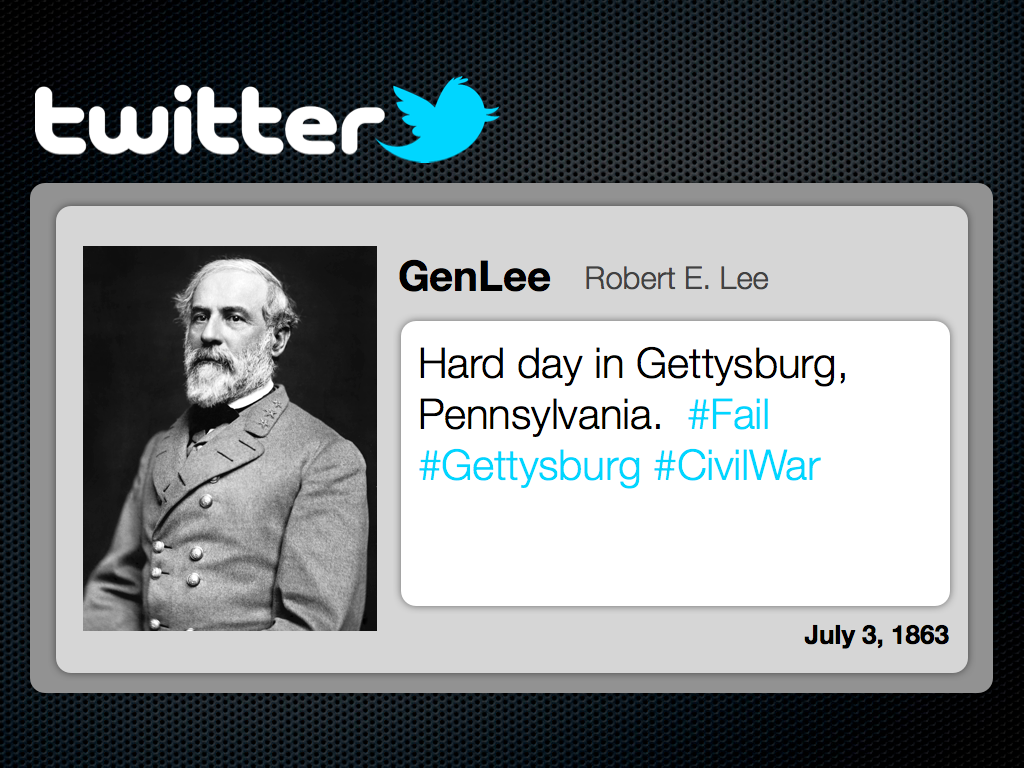
When students use the Facebook template, they will be able to display biographical information about a historical character’s life, hobbies, career, and “friends”.  The Twitter template will challenge students to create “Tweets” that share information that is relative to the subject’s life or activities.  There is a second option inside the Twitter template, and that is the documentation of an event using a “fictional” hashtag [3. Hashtags are specific searches on Twitter using the “#” sign.  Charlie Sheen made the hashtag “#Winning” very popular during his public breakdown.]  There are example of the Facebook and Twitter templates below.  These templates were created for my MAC users, but have been exported into .ppt and .doc format.

[nggallery id=5]

Click here to download the Facebook template for MACs.

Click here to download the Twitter template for MACs.
Click here to download the Facebook template for PCs.

Click here to download the Twitter template for PCs.

Reflective Friends- Fall Observations

The Reflective Friends (RF) process is nearly complete for my 4 schools for the Fall of 2011.  Glen Allen was selected as one of the pilot schools in the Spring of 2011.  Because of this, they are not officially involved in the RF process this year.  However, they will be doing a round of unofficial observations in November.  The teachers that have participated this year have done a great job.  This is a new process for elementary and it can seem overwhelming at the start.  After Carver, Longdale, and Harvie have been observed I believe that my teachers see the process for what it is, a positive experience that is only in place to help teachers.

Here is what has happened so far this year:

  • 6 teachers from each school were selected to participate, each grade level was represented.
  • Since this was baseline data that was collected, lessons were planned around programs that they were comfortable with using with their students at this point in the year.
  • Using the answers to the previous questions a lesson plan was developed.
  • We made appointments to work with the kids to review the skills that will be needed to make the chosen applications work.
  • An observation team made of up of 2 people visited each room for approximately 40-45 minutes.  The observation teams were made up of an ITRT (Elementary, Middle, or High) and an administrator from another school or Central Office.
  • The observers used the TIP-Chart to evaluate the lessons and provided constructive feedback for the teachers that will help them grow on the TIP-Chart.
  • Two interview panels were setup.  Groups of students and teachers were interviewed to collect additional information about 21st Century Skills.
  • At the end of the school day, the observation team leaders met with the school’s admin team and shared the data and information collected during the observations and interviews.

Just because the Fall observations are complete doesn’t mean that the RF process is complete.  The 6 teachers at each school are going to work with me throughout the year.  We are going to look at the feedback that they received and plan lessons that will help them progress on the TIP-Chart.

The most important idea for you to understand about the RF process is that this is not pass or fail.  RF is meant to be part of a professional development experience.

I am very happy to work with so many great teachers that had an awesome attitude towards this new process.  I am very excited to see the teachers and students grow this year.  RF is not going anywhere, there will be 6 new teachers selected next year.  More updates and news about RF will be shared here later this year.

Applications and tools used during the observations:

Pixie

iPads

Keynote

Pages

Google Earth

ProScopes

ActivVotes

ActivInspire

BuildYourWildSelf.com

Numbers

iPads

The iPads are officially in Kindergarten and 1st grade classrooms across the county. With this initiative this gives each Kindergarten and 1st grade classroom four (4) iPads and two (2) MacBooks. [1. The MacBooks that have been removed from the classrooms will be put on carts.  The carts will be distributed county wide so that each school will have approximately have the same laptop-to-student ratio.]  Each iPad came with a base image that was assembled by the elementary ITRTs and the elementary content specialists.  With the unveiling of the new iPad operating system in October of 2011, we are hoping to put the control of the content that is found on the iPad into the hands  of the classroom teachers that have them.

A website has been developed that explains the Apps that can be found on the iPads currently.

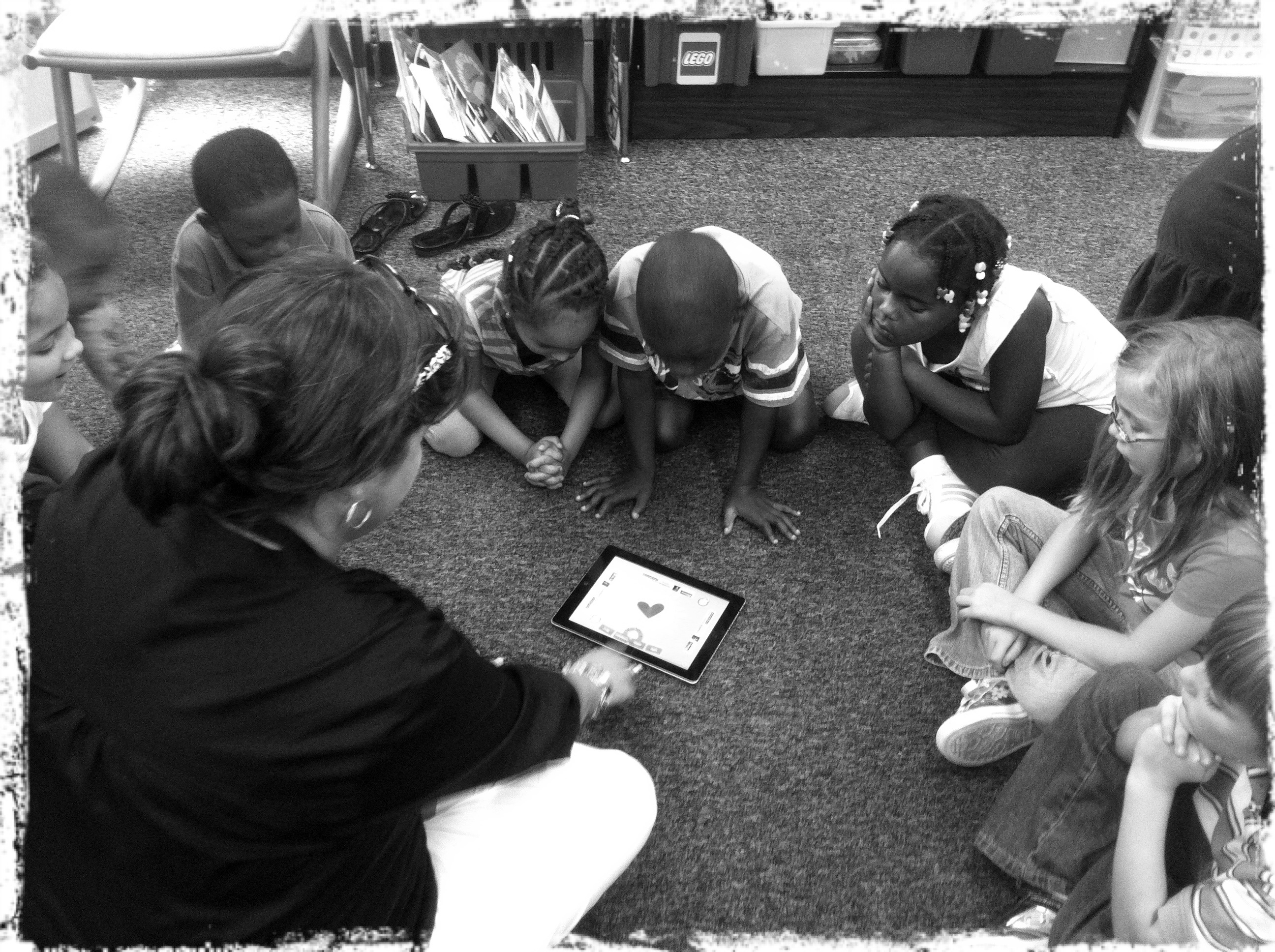
Amy Spiker, a 1st grade teacher at Longdale, introducing her students to the "App of the Day".

The ElemApps site also gives a description of each App and the directions on how to use it.  As we will discover, the kids don’t need a lot of instruction.  The touch feature is very intuitive for the students that are entering our schools.

The cases for the iPads will be arriving shortly and they will be distributed as soon as they are received.  In the meantime, HCPS would like to have the iPads out in the classrooms and more importantly, in the hands of our students.

If you are teaching in a 3rd, 4th, or 5th grade classroom, don’t fret.  There will be opportunities to use the iPads with your students as well. As we have already heard from HCPS administrators, the future of computers in our classrooms may be with “tablets” instead.

Reflective Friends

The Reflective Friends (RF) process has made it to Henrico County’s elementary schools!  Before you say anything or before your eyes roll back into your head, Reflective Friends is what we have been wanting for a long time.  I am very excited about RF being in the elementary schools this year.  The process gives teachers an opportunity to receive positive feedback from observers that are not from their buildings.  The observers are looking for the characteristics of a 21st Century Lesson.  The students and teachers will be scored on the TIP-Chart that we have become familiar with.  This is the same chart that is used to score Henrico 21 projects.

Here is the process broken down:

  • 1 teacher from each grade level will be chosen to participate.  This gives a good overall snapshot of an elementary school.
  • Each teacher plans their lesson using the TIP-Chart.  The teachers are encouraged to collaborate with their ITRT with the planning of the lesson.
  • Observations last around 30-40 minutes.  The observers are other ITRTs from the county as well as principals and other HCPS administrators (including Central Office).
  • Other teachers (not officially observed) and students will be interviewed by the panel.
  • The data and comments from each of the 6 observations and the interviews are compiled into one report and shared with the admin team at that school.

I am hoping to repeat this process in the spring in order to show authentic student and teacher growth during the 2011-2012 school year.

Here are the teachers that will be participating this year:

Sound- SOL 5.2 with Animation

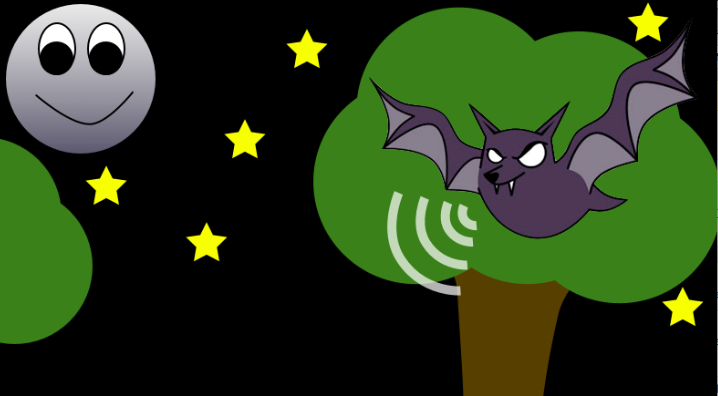
This template was created for students to demonstrate echo location.  The teacher that requested this lesson was going to have her students use Keynote to create drawings and animations on a future project.  We used the template(attached below) animate the use of echo location by a dolphin and a bat.  The students used the shape tools to draw their backgrounds and then used builds and actions to move the “sound waves”.   The video below demonstrates how to use the inspector to animate the “sound waves”.

Click here to download the Keynote template.

« Older posts Newer posts »